
As probably many of you, I followed an evolution in the way we approach the use of ESP modules (esp8266 and esp32)
Early Days
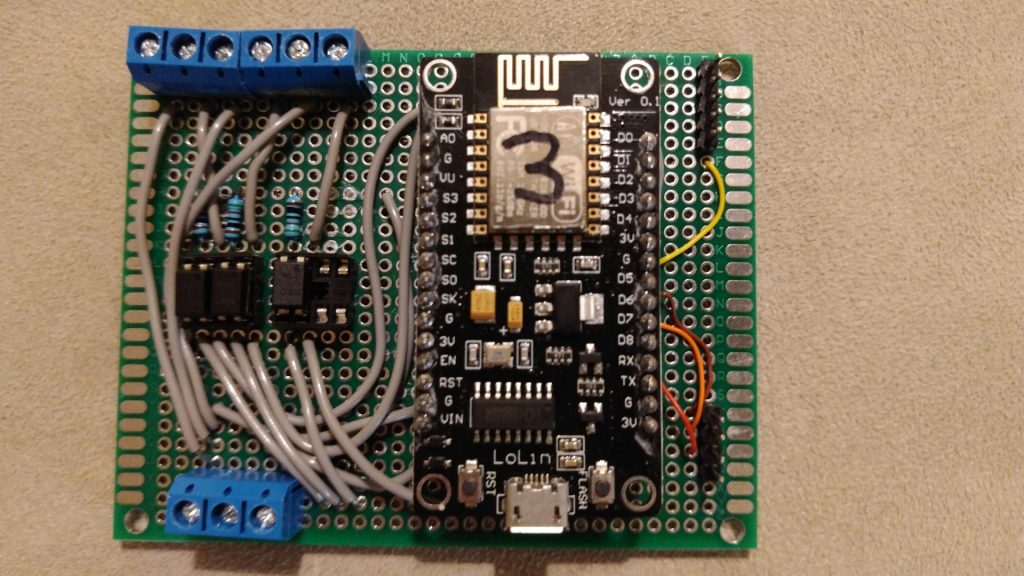
At the very beginning, it was 2016, I developed independent appliances based on these 2 modules esp8266 and esp32. I created my own remote-controlled switches and sensors, together with my own developed web application able to control them and collect data from them, such as a long-distance switch controller. I created lots of automation written in the firmware of esp8266 or esp32, integrating them with Google Home. Debugging was not so easy, the same collecting logs remotely. In everyday life there were multiple issues, such as usual big fighting with memory issues, finding the best way to connect external devices and sensors, general stability, the need to detach modules from the original location and connect the module to my PC to upload updates, etc. All these were annoying problems preventing me to implement a wider use of these solutions.
Ready to use commercial devices
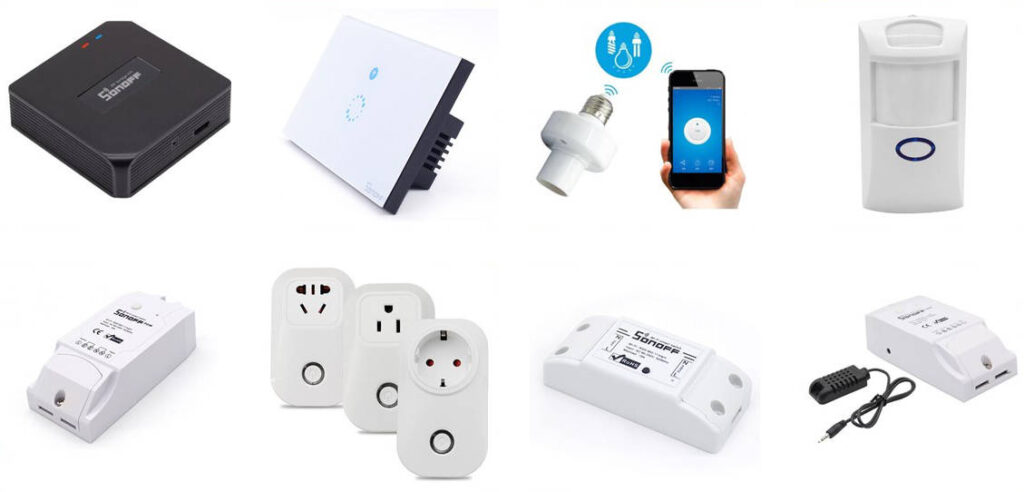
Some years later I realized I was able to find in the market very cheap commercial devices, ready to use, more or less with the same functionalities of the components I developed, quite reliable, compact, with an industrial level of engineering design. For sure they provided the main added value when they were able to work out of the box, even if it was possible to introduce small customization to make them be compliant with some custom requirements. So I decided it was time to stop spending time developing my own modules from the scratch using ESP8266 and ESP32.
As you know the main problem with these commercial modules was the fact each of them live in their own environment. Having components coming from different main families, such as Tuya, eWeLink, Philips, Shelly, and so on, I was not able to manage easily altogether.
You were able to deploy custom firmware to make them work altogether, but now every device was easy to be rooted with a custom firmware, the risk to brick these devices was high. Without any firmware customization, each of these families has its own management/automation software, mainly on mobile, so you create automation involving in the same moment components coming from different families was not easy and reliable.
Introducing Home Assistant

It was time to introduce an high-level governance for all devices in my home. So I installed Home Assistant, a wonderful software able to control a huge amount of different branded devices in a single environment. You can install it on a small dedicated device such as Raspbeddy or similar, or you can resurrect an old computer for this use (mine is running on a virtual machine on a 2008 laptop). After introducing Home Assistant I realized not all commercial devices are the same. In my case, I have a mix of Sonoff eWeLink, Tuya and Shelly devices, and I was quite disappointed by Sonoff devices because no integration, including the official one released recently, provide decent support for these devices: they are not seen by Home Assistant as devices, so you can not develop your own automation leveraging on the main feature available on Home Assistant.
I changed the custom software installed on my existing Esp8266 and Esp32 modules to interact with Home Assistant but, as decided before, I was not planning to use them in any additional functionality for the problem described at the very beginning, even I was missing the chance to have some very custom devices.
EspHome and the new renaissament

The next evolution, but it was a return to the past, was EspHome. If you had experiences with Esp8266 and Esp32, this is your natural evolution. It is a component for Home Assistant to allow you to set up, add components, control, and update wirelessly any Esp8266 and Esp32 project.
As the first step, you need to connect an Esp module to your computer and, using the Home Assistant web interface, enroll the module in Home Assistant platform. During this step, EspHome will deploy the basic firmware on the Esp module. From that moment any other debugging, configuration or updates to the module will be done via WiFi, without moving the module from where it is located.
You will be not asked to write any code, just to edit a configuration file where you will describe any other device (sensors, relays, buttons, less, etc) attached to your Esp module.
As you can see on the EspHome site, there are tons of components supported, so it will be really easy to create any kind of custom project.
Esp modules will make your connected components available to Home Assistant, then any other automation you will implement inside Home Assistant
Even I am an avid fan of EspHome, I need to admit you can not do 100% what you are able to do writing your home custom Esp firmware. The integration of any particular component is very well supported, it is really hard you will be able to find a component (sensor, switch led, etc) you will be not able to connect and make it available to Home Assistant. Maybe because of the event-driven model of Home Assistant automation, you will be not able to reproduce some behaviors you need, but they will be really corner cases.
So I dismissed any custom self-developed firmware from Esp8266 or Esp32 around my house and I integrated them with Home Assistant through EspHome.
Projects with Esp modules and EspHome
These are for the moment the implemented solutions:
– Spiral staircase lights, with presence and light sensor
– Box to switch off lights when children left the room
– Multiple temperature sensors around the house